A LITTLE LESS SCREEN TIME.

Good reads.
Now, great
listens.

The articles you want to read.
The time you didn’t know you had.

Listen to articles in Safari or on your Mac. Choose your pace, hear a summary, and save good reads for later.

Download first. Sign up free in the app.

The Sunday Read

A little room
for a good idea.

Some of our best thoughts arrive when we step away from the screen.

On a walk around the block. While making a cup of coffee. In the quiet spaces between one thing and the next.

There’s a different way to make room for the things we want to learn.
A little room for a good idea.Listen · AI voice preview

13 voices to choose from.

Less scrolling.
More living.

LISTEN RIGHT INSIDE SAFARI

Your article.
With a play button.

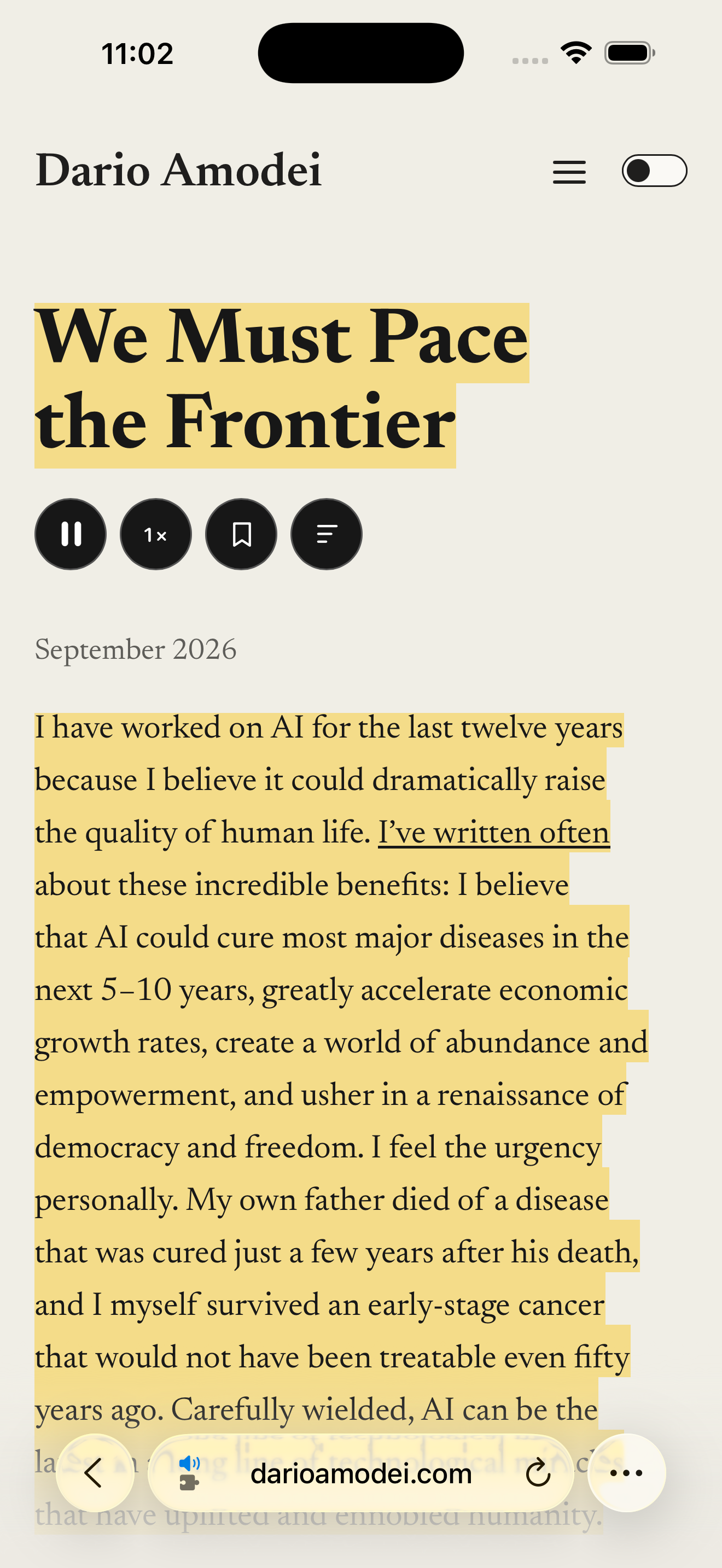
Stay on the page. Give your eyes a break, or follow along as Listen reads.

  1. Press play. Stay in Safari.

    Add the Listen extension once, then tap Play on an article. The current passage highlights as it reads.

  2. Find your pace.

    Use the speed button to slow things down or move a little faster. Pause whenever you need to.

  3. A long read. A shorter listen.

    Tap the summary button to hear the main ideas. Return to the full article when you want the detail.

Enable Listen in Safari and allow it on the websites you want to read.

Listen playing an article inside iPhone Safari, with pause, speed, bookmark and summary buttons, and the spoken passage highlighted.
Actual Listen playback in Safari.

AT YOUR DESK. OUT IN THE WORLD.

One reading habit.
Two places to listen.

LISTEN FOR MAC

Your browser.
With a soundtrack.

Read the current page, hear selected text, or save an article for later. A tiny player stays within reach.

Listen for Mac Download ↓
A good read is only a shortcut away.
space

LISTEN FOR IPHONE

A play button
for Safari.

Listen without leaving Safari. Follow along, change the speed, or hear a summary. For Chrome and other browsers, copy the article URL and paste it into Listen.

iPhone App Store ↗
9:41 Listen

Your reading.

Good things, saved for later.

AaA little room for
a good idea.Ready when you are
The long way home.A moment to slow down
Your next good listen

SAME YOU. SAME LIBRARY.

Save it here.
Find it there.

A good read shouldn’t get lost between devices.

Sign in to the same Listen account on your iPhone and Mac. Your bookmarks and reading position go with you.

Bring your reading together

A LITTLE READING. OR A LOT.

Start free.
Make room for more.

One allowance across iPhone and Mac. Australian pricing.

Listen Free

A$0

2,000 narrated words each week.

Save articles and keep your reading in sync.

Listen Pro

A$20 / month

Or A$194.99 billed annually. Save 19%.

Unlimited narrated words across your devices.

Get Listen Pro

A FEW GOOD QUESTIONS

Before you
press play.

What can I listen to?

Listen turns articles and selected text into audio. On Mac, read from supported browsers or select text in an app. On iPhone, the webpage Play button works in Safari only. Using Chrome or another browser? Copy the article URL and paste it into Listen. Listen can only read content you can access; it doesn’t unlock paywalls.

Can I use the same account on both devices?

Yes. Sign in to the same Listen account on both devices to sync your saved articles and reading position. Use the same email on Mac and iPhone. The iPhone app also supports Sign in with Apple.

Is there a free plan?

Yes. Free includes 2,000 narrated words each week across your devices. Listen Pro includes unlimited words for A$20/month or A$194.99 billed annually. The free allowance resets on Monday at midnight UTC. Upgrade to Pro on this website and sign in with the same Listen account on your devices. Website subscriptions are billed securely through Polar; manage or cancel renewal from your account page.

Do I need an internet connection?

Narration and account sync need an internet connection. Bookmarking saves an article for later; it does not download a complete offline audio file.

What happens to the text I listen to?

For AI narration, the text you choose is sent to Listen’s service and OpenAI to generate audio. Saved articles and reading positions sync through your account. You can delete your account from the app’s Account settings.

How do I install Listen on Mac?

Open the downloaded DMG and drag Listen into Applications. Open Listen from Applications. To keep it in your Dock, Control-click its Dock icon and choose Options → Keep in Dock. Listen requires macOS 14 or later and a Mac with Apple Silicon.

Listen guides you through the permissions needed to read from your browser or other apps the first time you use those features.

Where can I download Listen?

Download Listen for Mac here or get the iPhone app from the App Store. Create your free account in the app, then use the same email on both devices.

Give your eyes a break.
Give your mind something good.

Download for Mac

Create your free account when you open the app.